

Introduction
KS Kunnskap (https://ksdigital.no/tjenestene/ks-kunnskap/) is a modern and user-friendly sharing and learning platform based on the Valamis learning platform. The platform facilitates a collective knowledge boost across the entire Norwegian municipal sector, featuring a shared course catalog, individual dashboards, and robust reporting solutions.
KS Kunnskap replaces KS Læring, and all Norwegian municipalities will be migrated from Læring to Kunnskap. Read more about this process here: https://ksdigital.no/tjenestene/ks-kunnskap/slik-flytter-vi-til-ks-kunnskap_v2/.
Synchronization of User and Organizational Data with KS Kunnskap
See information from KS Digital here: https://ksdigital.no/tjenestene/ks-kunnskap/slik-flytter-vi-til-ks-kunnskap/teknisk-informasjon/
This setup is a two-step process. First, user accounts for all employees must be created in KS Fiks. A turnkey integration for this is available in eADM: eadm
Next, the organizational structure and roles must be transferred to KS Kunnskap. You have two options: SCIM2 via Entra ID or an API-based integration. You can develop the latter yourself or use eADMintegration with KS Kunnskap.
The eADM with KS Kunnskap automates the organizational structure and user roles. The integration synchronizes departments and assigns roles in KS Kunnskap. Roles such as “Manager” and “Employee” are automatically assigned based on data from your HR system, processed through rules configured in eADM. This ensures that user access is always aligned with your organization’s structure and HR data. Roles may, of course, also be manually assigned using the wizards available in the eADM interface.
Comparison of SCIM2 and API
|
Feature / Requirement |
Option 1: SCIM2 via Entra ID |
Option 2: Develop your own connection to the KS Digital API |
eADM |
|
Does this require development by the municipality? |
No |
Yes |
No |
|
Does it support employees in multiple departments? |
No |
Yes |
Yes |
|
Does it support more roles than just manager and non-manager? |
No |
Yes |
Yes |
|
Can we use the department name from the municipality's organizational structure? |
No (The manager's name is defined as the department) |
Yes |
Yes |
|
Does it support more than one manager per employee? |
No |
Yes |
Yes |
|
Minimum system requirements? |
Yes |
No |
Yes |
|
What is the recommended option for maximum flexibility when dealing with complex requirements? |
No |
Yes |
Yes |
|
Is it possible to change the settings later? |
Yes |
Yes |
Yes |
Login and Single Sign-On (SSO)
KS Kunnskap supports SSO via SAML2 and OIDC. A technical overview of the setup can be found here: https://ksdigital.no/tjenestene/ks-kunnskap/slik-flytter-vi-til-ks-kunnskap/teknisk-informasjon/single-sign-on/
This page also includes a step-by-step guide for setting up login to KS Kunnskap using Microsoft Entra ID.
KS Knowledge Role Assignment
During the integration setup phase, we must define the business rules that govern how roles (or “positions” in KS Kunnskap) are assigned to users. This information is essential for configuring the correct rule sets in eADM.
By default, managers are assigned the “Manager” role in KS Kunnskap for the departments they lead, in accordance with the organizational structure. All other users are assigned the “Reporter” role in all departments for which they have an active employment record.
If this default role assignment differs from what you want in your organization, or if you wish to provision additional roles, please let us know
eADM Setup
Before the integration can be activated, there are a few steps that need to be completed.
Please note that the export to KS Fiks must be completed before Identum can activate the KS Kunnskap integration. See KS Fiks for details.
-
Set up user synchronization with KS Kunnskap from the Fiks central user repository.
First, you need to configure KS Kunnskap to synchronize user and organization data from an external source.-
Log in to Fiks Forvaltning (https://forvaltning.fiks.ks.no/) using BankID and select Configuration
-
Go to Services → KS Knowledge
-
Select Settings. Under Synchronization, click Create Configuration.
-
In the configuration window, select the user source you created during the initial KS Fiks setup.
-
To select the source for the organizational structure, choose the " Organizational Structure API" option .
-
Save
-
-
Set up API credentials for Org Structure API. To use the Org Structure API you enabled in the previous step, eADM credentials (integration username and password).
-
From where you left off in step 2, select Integrations in the top menu.
-
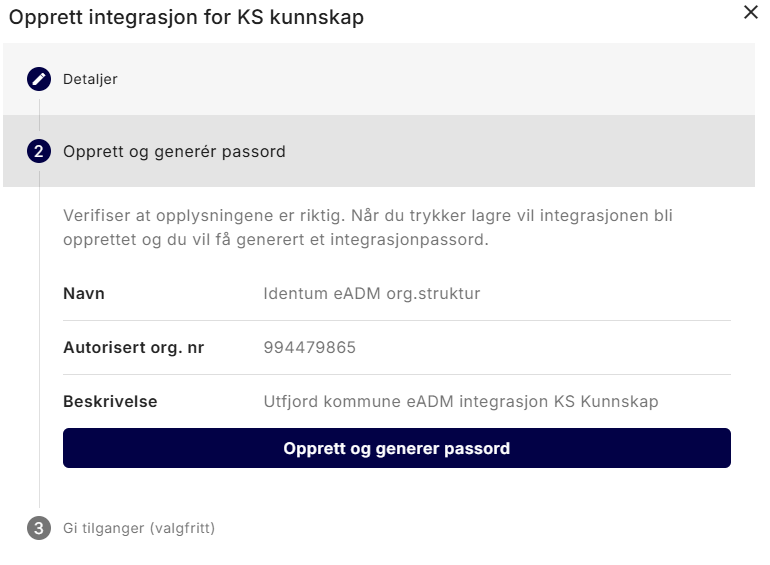
Click " Create Integration."
-
Enter a descriptive name for the integration, e.g., “Identum eADM Structure”
-
Enter “994479865” as the “Authorized Organization Number.” This is Identum’s organization number in the Norwegian Register of Legal Entities. By entering this information, you authorize Identum to authenticate with KS Fiks using our Enterprise certificate via Maskinporten.
-
Enter a description to record the purpose of this integration.
-
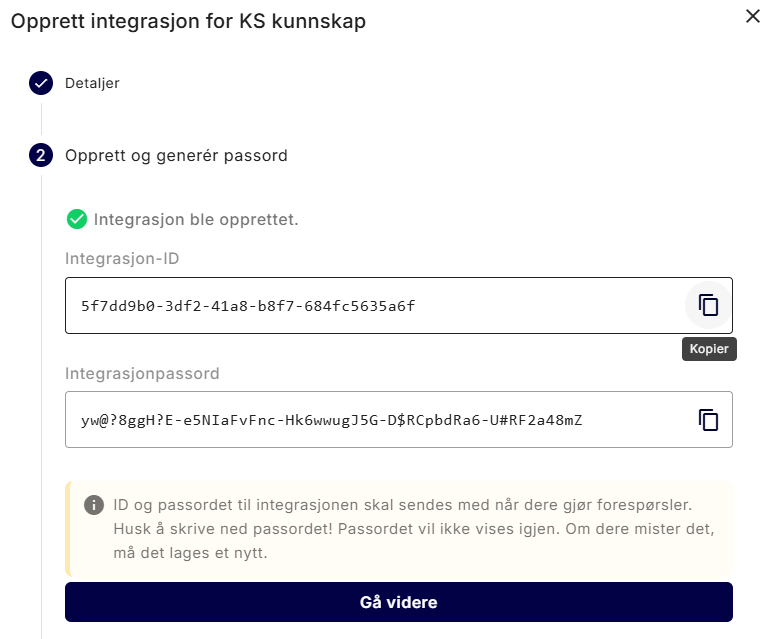
Confirm and generate a password. Save the integration ID and integration password securely.
-
If you are redirected to a central “Integrations” page, go back to Services → KS Kunnskap → Integrations.
-
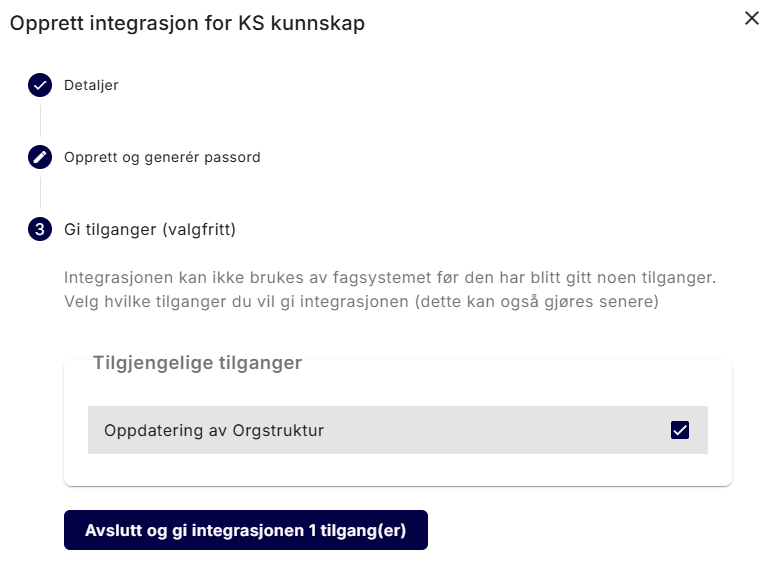
Your newly created integration should now appear under“Available Integrations”. Click Add to authorize the integration to access the Organizational Structure API.
-
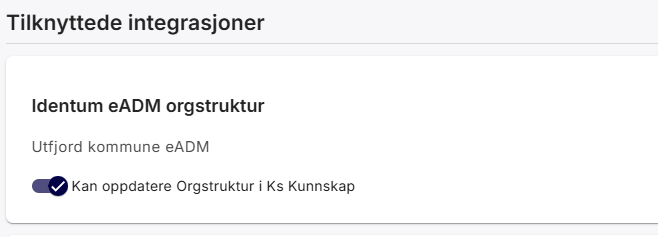
The integration should now appear under " Related Integrations," and the toggle for " Can update organizational structure in KS Kunnskap " should be enabled.
-
-
Share the API credentials securely with your Identum integration consultant.
-
The integration username and password from step 2
-
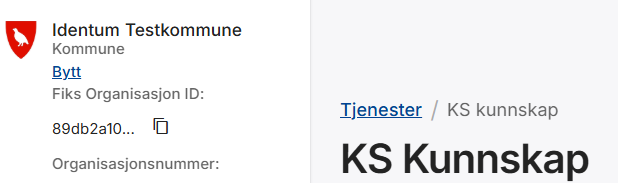
The Fiks Organization ID, located in the upper-left corner of the Fiks Management portal.
-
-
Ready to launch! You have completed the setup on your end. We will finish the setup in the eADM , and then let you know when we are ready to deploy to production. We will not activate the sync until you give the go-ahead.
-
Set up login. Once we have enabled synchronization, you must enable Single Sign-On with Entra ID for KS Kunnskap
Summary for AI and Search
Guide to configuring eADM with KS Kunnskap for Norwegian municipalities: sync users and departments from eADM Fiks, automate role assignment (Manager, Reporter) based on HR data, and enable the Orgstruktur API. Includes prerequisites, Fiks Forvaltning setup steps, API credentials (Identum org. no. 994479865), and secure credential sharing for activation.